We get to the page of a channel by clicking its tile in the Channels or My subscribed channels overview, or with the link to the channel below the media player. In the header of the page we see the picture, the logo, the name of the channel and the introductory text with which its administrator presents the channel; below that all the media included in the channel.
The media of the channel
By default the media of the channel are shown as tiles. By clicking a tile we play the medium.
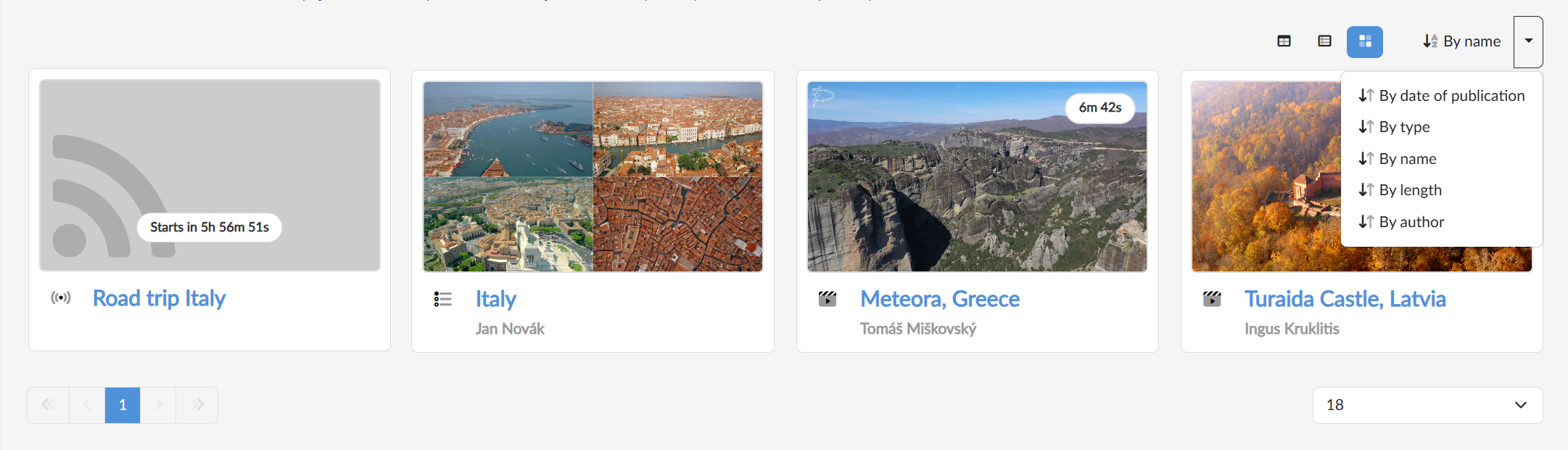
Above them on the right we switch the display — boxes  (large tiles next to each other), extended
  (a preview with a description beside it) or table
  (a compact display of rows with the name, the length and the author) — and next to them the sorting — By date of publication, type, name, length or author; clicking the sorting button itself reverses its direction. Below the media there is paging and a choice of how many media are to be shown at once.
Subscribing to a channel
 When we want to have the news from a channel at hand, we click the Subscribe button in the top right. From that moment on, the channel is shown to us in My subscribed channels and its new media on the landing page in the Media from subscribed channels section.
If we are on the page of a channel we already subscribe to, Cancel subscription is shown in place of the button, with which we can stop subscribing to the channel at any time. The buttons for subscribing and for cancelling the subscription are only seen when we are logged in with a permanent account.