Media history is an overview of the media we have played on the portal. It comes in handy when we want to come back to something we saw a while ago and no longer know where it was. We open it with the Media history item in the main menu.
Videos, audio recordings and live streams are recorded; from a playlist, the particular medium we played in it is recorded. The media are ordered from the most recently played ones and this order cannot be changed. Each one is in the overview only once — when we play it again, it moves to the beginning. By clicking a tile we open the medium and play it.
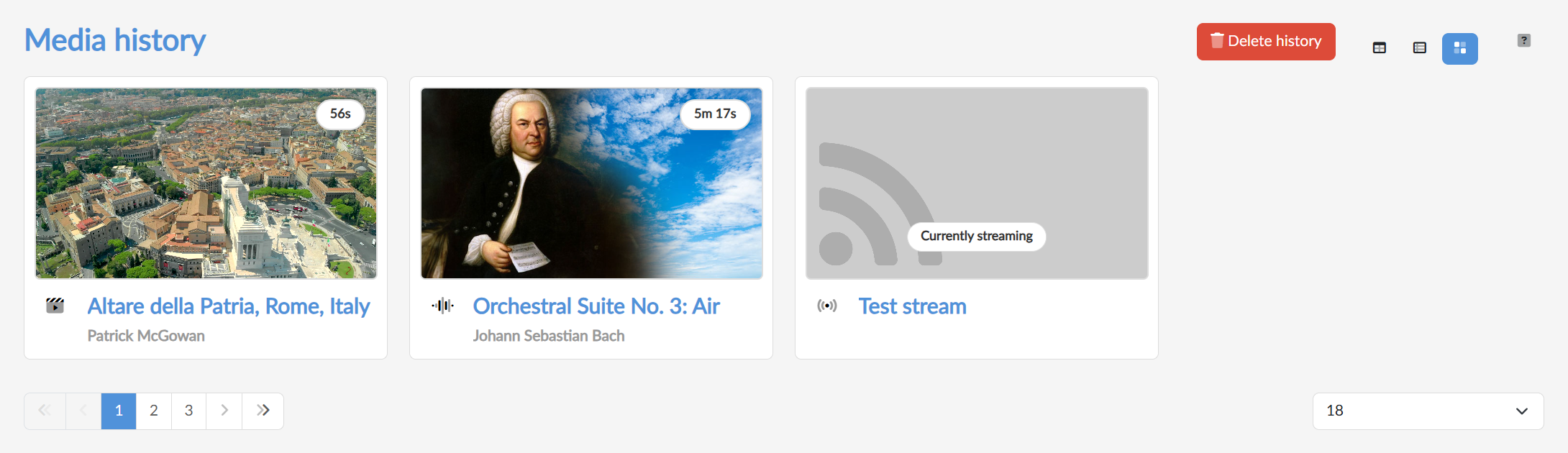
In the top right we switch the display — boxes  (large tiles next to each other), extended
  (a preview with a description beside it) or table
  (a compact display of rows with the name, the length and the author). Below the overview there is paging and a choice of how many media are to be shown at once.
Deleting the history
With the red Delete history button in the top right we wipe the history. The portal asks for confirmation first. The whole history is always deleted, individual media cannot be removed from it; the media themselves stay on the portal unchanged.