On the editing page we set the properties of one IP rule and above all its address ranges. It opens after a new rule is created, or from the list by clicking the name or with the Edit button; with the Back to list button we return without saving.
Form fields
- Name — the name under which authors see the rule when assigning it to a media file, so we choose a clear one (e.g. Faculty network);
- Description — a note for administrators;
- Allowed — a rule that is switched off stays assigned to the media, but it is not used when access is checked. Useful for taking a rule out temporarily without deleting it;
- IP address ranges — a list of addresses and ranges, each on a separate line.
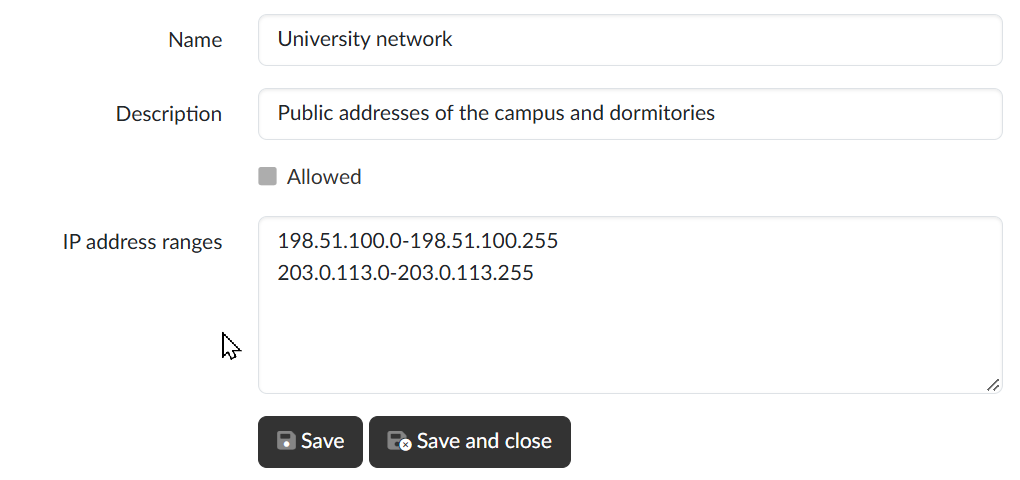
Entering ranges
On each line we enter one address or one range, in one of these forms:
- a single IPv4 address — 192.168.10.20;
- a shortened range within the last number — 192.168.10.20-30;
- a from–to range — 192.168.0.0-192.168.50.255;
- an IPv6 address — 2001:db8:3333:4444:5555:6666:7777:8888.
⚠ The form does not accept the notation with a mask (e.g. 192.168.0.0/24) — we enter the network as a from–to range. The start address of a range must be lower than the end address.
Saving
With the Save button we save the changes and stay on the page; with the Save and close button we return to the list after saving. If any line is entered incorrectly, the rule is not saved and the application lists the addresses that are not valid.