On the Redactor’s team tab we manage the user's team. A team is a group of redactors and editors whose media the owner of the team can list and manage together with their own, once they have agreed. The tab is shown only for users with the Redactor or Admin role.
A redactor normally puts the team together themselves in the My team agenda; here we see the same and can step in when the team needs to be adjusted centrally.
User’s team of collaborators
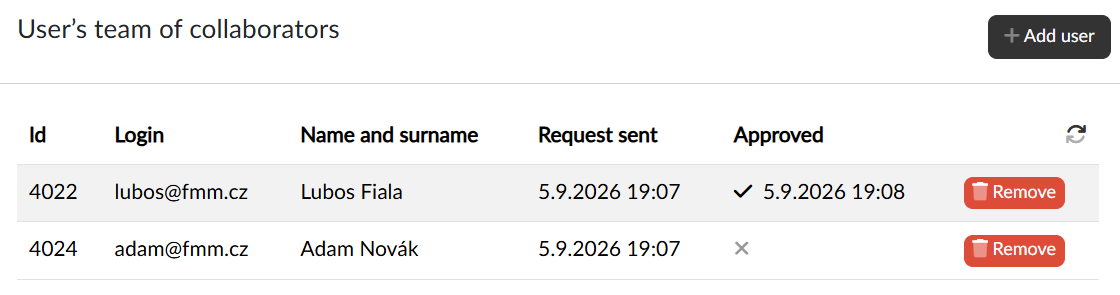
The table lists the team members: the ID, login, name and surname, when the request was sent and whether and when the member approved it. Until the member approves the request, the owner of the team has no access to their content.
Adding and removing a member
With the Add user button we open the Select users dialog, search for the users, tick them (several at once are possible) and confirm with the Select button. Users with the Editor, Redactor or Admin role can belong to a team.
With the Remove button in the row we take the member out of the team — whether they approved the request or not. The owner of the team thereby loses access to their content and the removed user receives a notification about it.