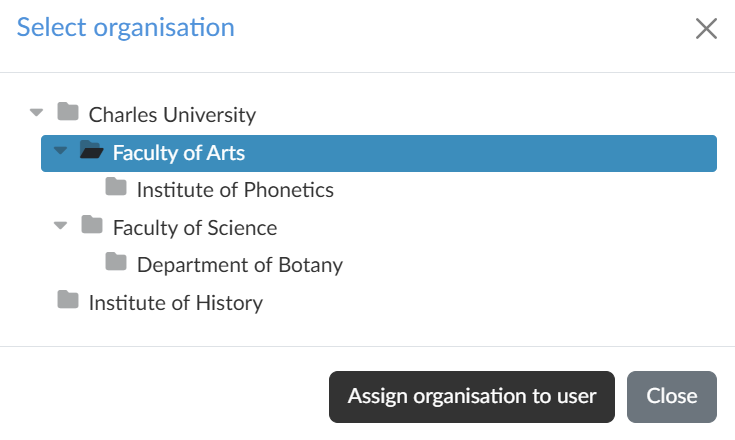
On the Organisation/org. units tab we assign the user to organisations and their organisational units. The assignment (affiliation) decides which media the user can play: a media file protected by the playing by a user from an allowed organisation rule is only seen by someone who belongs to at least one of the organisations specified for it.
The tree of the portal's organisations is managed by the platform administrator; we only select from it.
User’s affiliation to an organisation
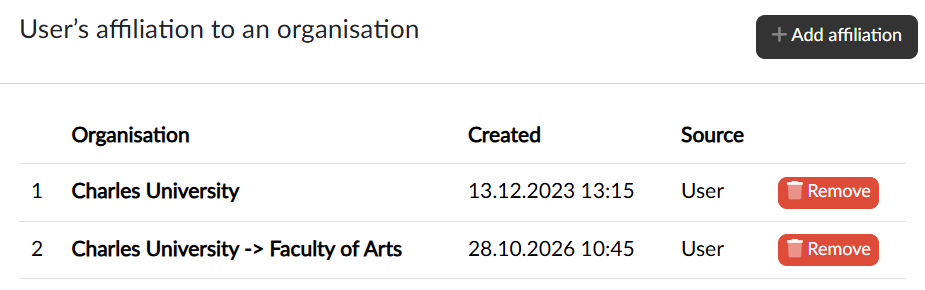
The table lists the organisations the user belongs to on our portal: the ID, the full name of the organisation including the parent levels, the date of creation and the source — whether the assignment was made manually (User), by import, via the API, by a Shibboleth rule or by a connector. The user sees the same information in their profile, but cannot change it.
Adding and removing
With the Add affiliation button we open the tree of organisations, click the organisation or unit we want and confirm the selection with the Assign organisation to user button. A user can belong to several organisations at the same time. With the Remove button in the row we cancel the assignment after confirmation.