Access tokens are a way of letting viewers watch a media file once, or a limited number of times, without them having to log in to the portal.
We create a new token with the New token button in the top right. For the access token we have to set a specific limit on the number of times it can be played (the Maximum number of accesses field, where 0 means unlimited). Then also the date and time of its Expiry.
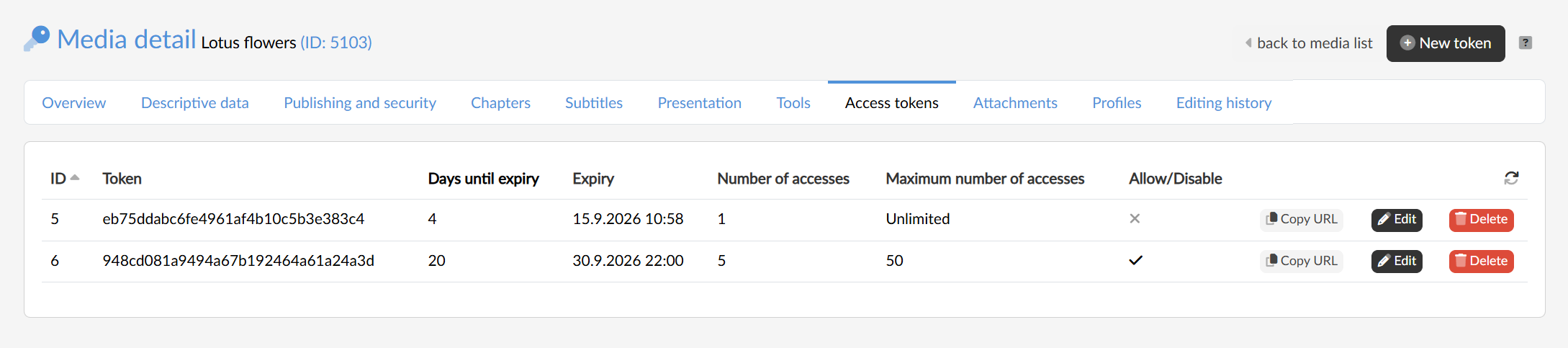
By creating an access token we get a direct link to the media player page, and the access token makes the media file in question available regardless of how its protection rules are set. The user can copy the URL containing the token to the clipboard directly from the agenda (the Copy URL button) and use it as they intend.
The table then continuously shows the number of views of the given media and how many days are left until the token expires. If one of the limits is reached, the token stops working by itself; apart from that, the user can switch a token off manually at any time — with the Edit button we open its settings and untick the Allow option. In the editing we can also increase the number of accesses or move the expiry, so a link that has already been handed out can keep working. A token we no longer need is removed with the Delete button.