The page shows an overview of the files created for streaming in the individual qualities defined within the platform and allowed on the given portal.
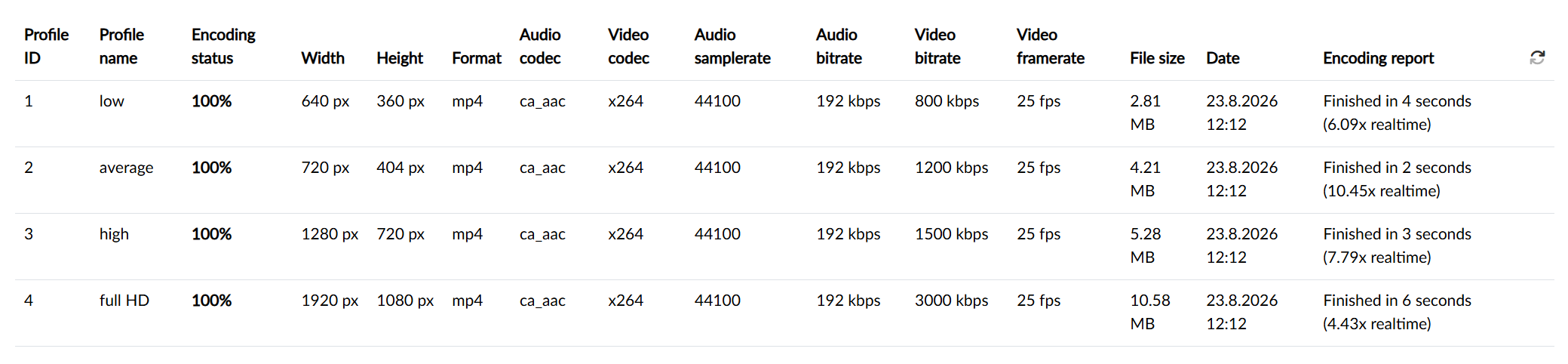
For each quality the table shows the state of its processing in per cent and the technical parameters of the resulting file — the resolution, the format, the codecs used, the bitrates, the frame rate, the file size and the date of creation. The last column shows any report from the encoding.
Info and the encoding record
Below the table there is the Info card with the overall encoding status, and if the process is currently running, also with information about the active encoding request.
Next comes the Encoding record card — a paged, chronological list of the processing steps with the date and time, a success flag and a report. This is exactly where we look when the processing of the media is taking suspiciously long or has ended with an error: the last records will hint at where the process got stuck.