My channels is a quick visual overview of the channels we own. We open it from the main menu with My channels. Unlike Channels administration, which is an editorial table of all the channels we have access to, here we see only the channels we own — channels where we are merely members of the community do not count.
Each channel is a tile with a logo, a name and the number of media; clicking on it takes us to the public page of the channel, that is, to what a viewer sees. A channel that has not been published yet is marked with the note (Unpublished).
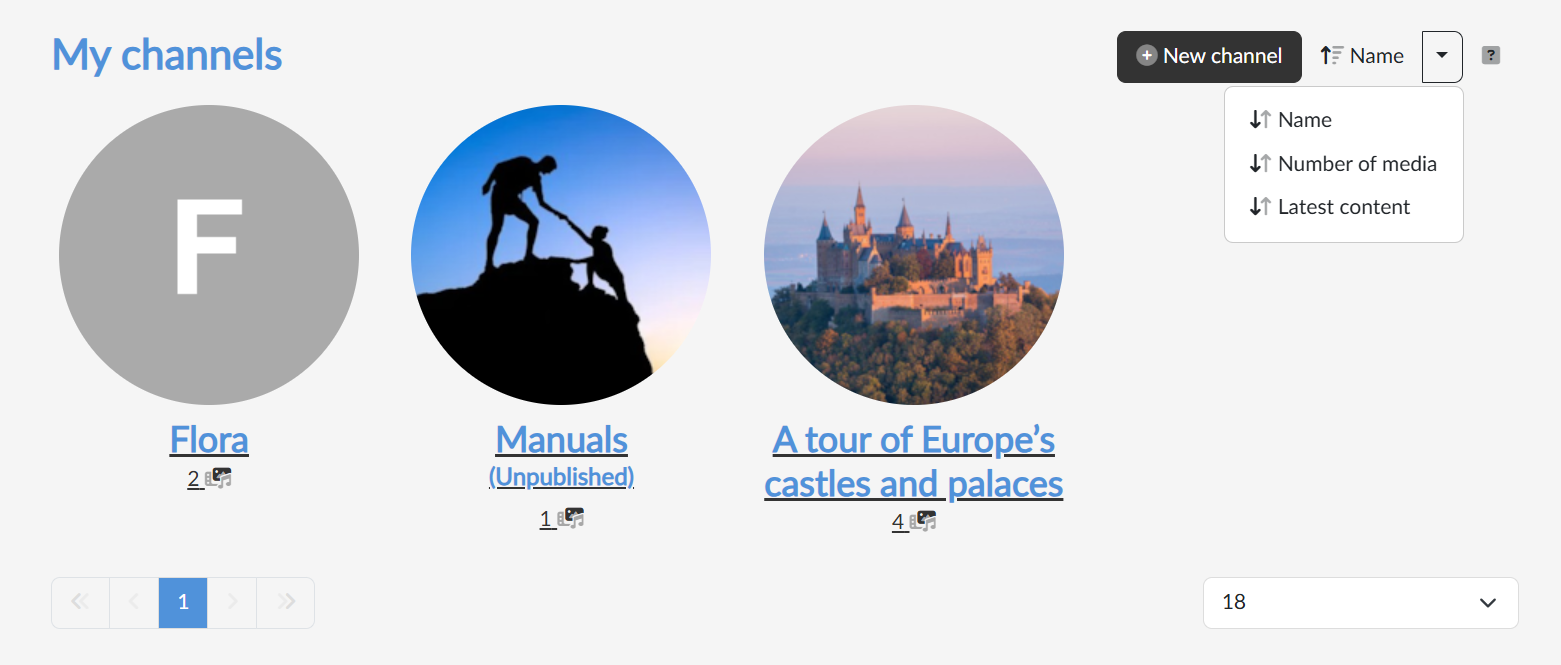
The button in the top right switches the sorting — by name, by the number of media or by the latest content — and the arrow next to it reverses the direction. Below the tiles there is paging and a choice of how many channels to show at once.
Setting up a new channel
The New channel button in the top right opens a dialog where we fill in the Channel name and the Channel SeoUrl — the string the public address of the channel is built from, in the form https://<portal address>/@channel-name. The Suggest SeoUrl by name button derives the SeoUrl from the name for us.
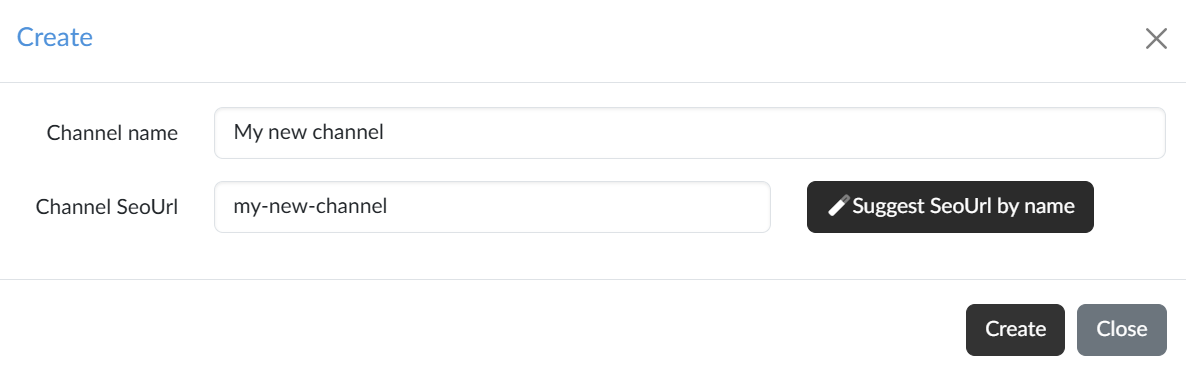
Once we confirm with the Create button, the portal takes us straight to channel editing, where we activate the channel and add the introductory text; the logo and the introductory image are set on the Branding tab.