On the detail page of a users list we manage the specific users in the list for use in the context of media security.
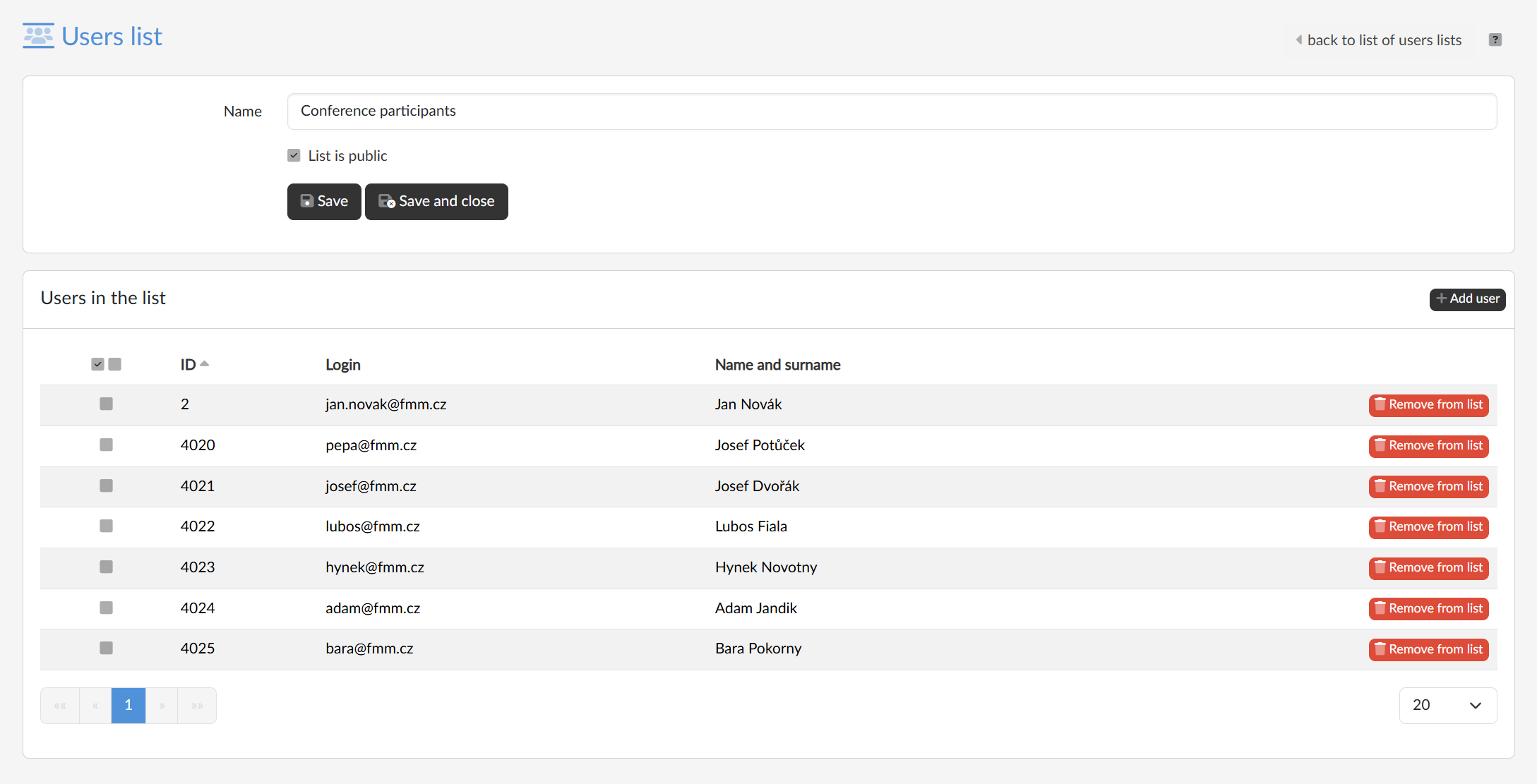
At the top of the screen we edit the Name of the list, and with the List is public checkbox we set who the list is available to: a public list can be used by all users of the portal to protect their media, a non-public — private — one only by its owner. We save both with the Save button, or with Save and close, which takes us back to the listing of lists.
Users in the list
We see the users included in a table with their login and name. With the Remove from list button at the end of the row we take one of them out, with the checkboxes in the first column we select several users at once, and with the Actions → Remove selected menu we remove them together.
Adding users to the list
We add users with the Add user button in the header of the card. In the dialog we look them up by name, surname, login or e-mail — entering part of the value is enough.
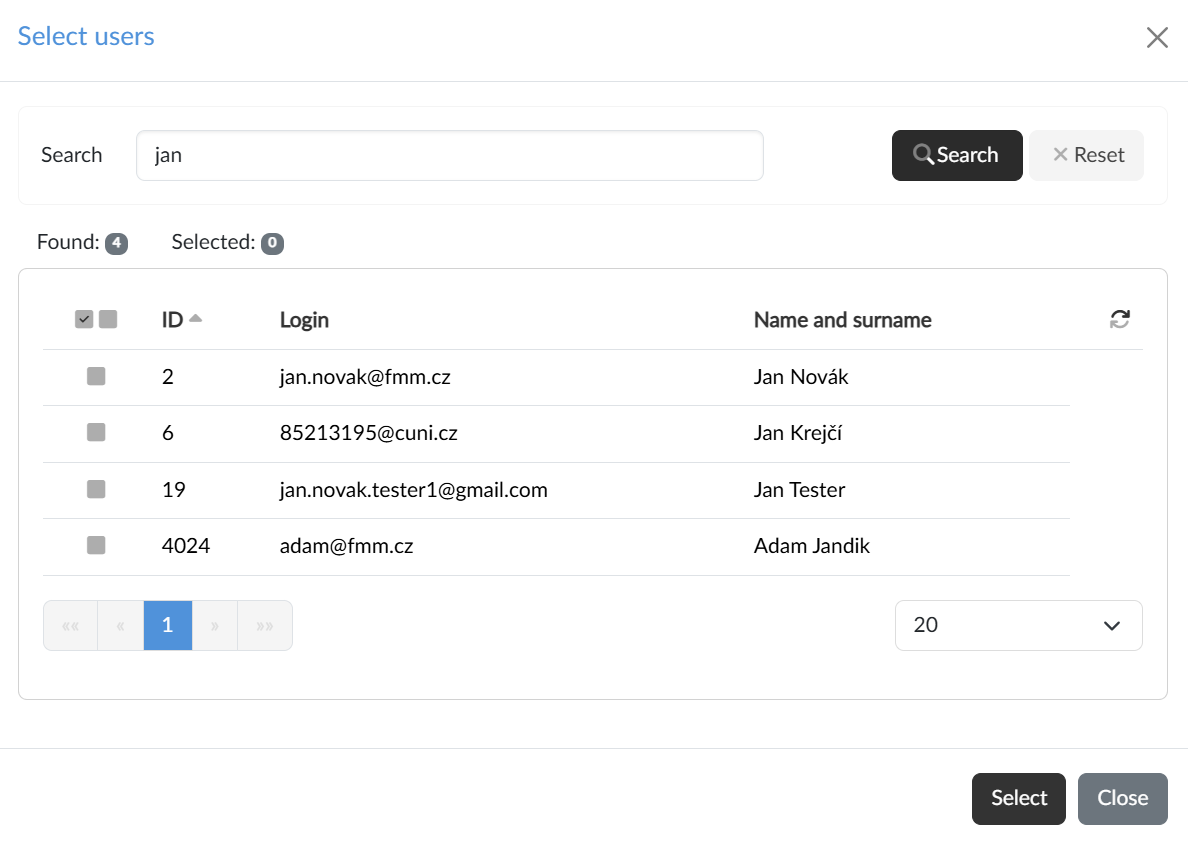
The checkboxes in the listing select individual users and with the Select button we add them to the list; the addition is saved straight away, nothing else needs to be confirmed.