A virtually unlimited number of attachments — files to download — can be added to every media file on the portal.
These attachments can be in a range of supported formats — see the available file extensions on the page. We upload a file in the Upload new attachment card, either by picking it in the file dialog or by dragging it into the area of the component; we can also upload several files at once.
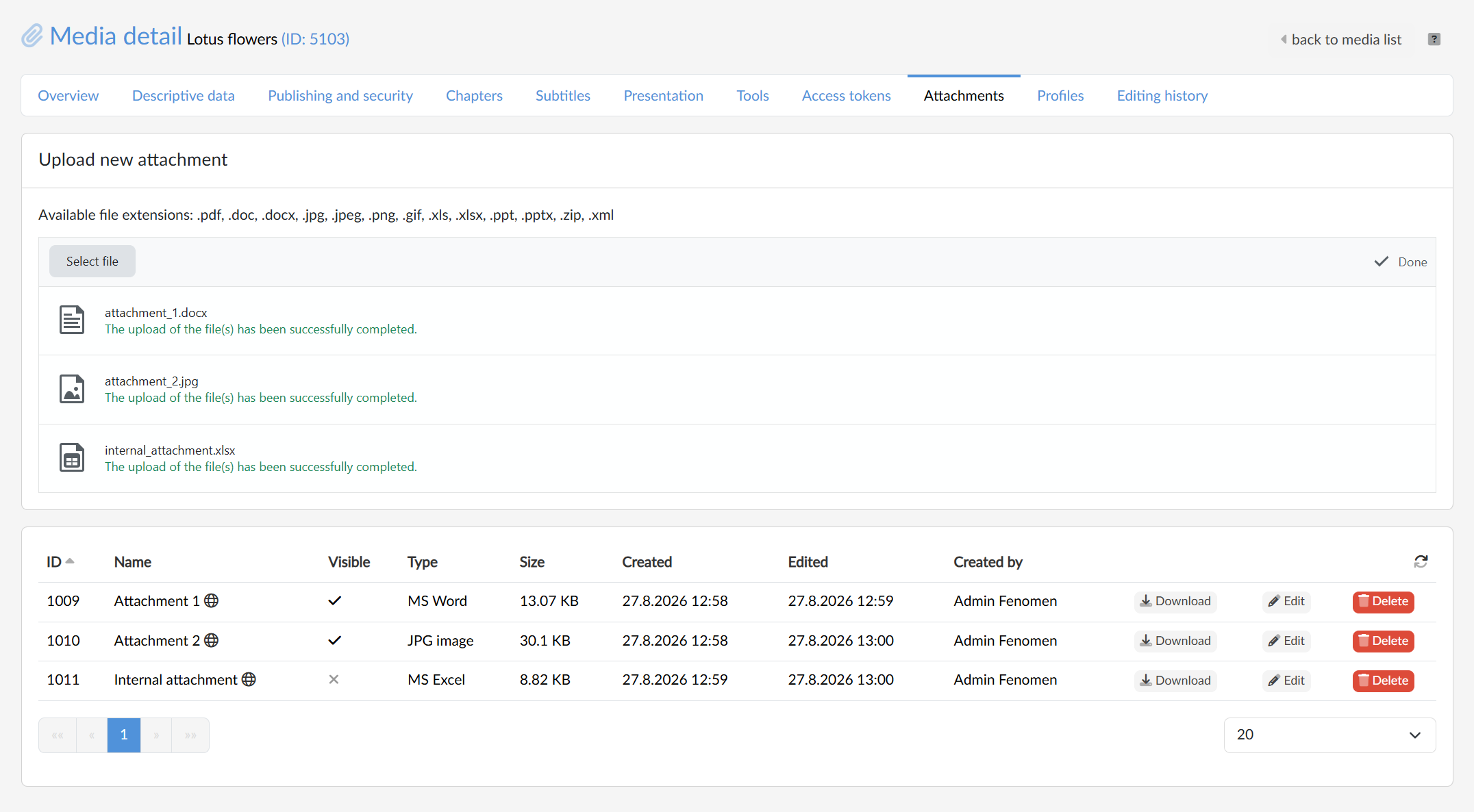
The editor/owner of the media file can set a suitable name for each attached file, including its localisation and can also use the “visible” flag to
 publish the file on the media playback page on the portal
 keep the attachment available only here in the media administration
We set both with the Edit button in the relevant table row. Besides the name and the visibility, the table shows for each attachment the file type, its size, the dates of creation and last edit and the name of whoever uploaded it. With the Download button we save the file, and with the Delete button we detach it from the media.
Where the attachments appear
Visible attachments are shown to the viewer on the media page in the expandable Attachments panel, from where they download them. If the media has no visible attachment, the panel does not appear on the page at all.