On this page we set the conditions under which users will be able to find the given stream on the portal and/or watch it.
On the left-hand side of the screen we choose from four basic levels of protection:
- Stream is private
 — visible only for the author/owner
 - Stream is non-public
 — does not appear in the search on the portal, but you can open it if you have the direct URL
 - Stream is protected
 — there are specific rules for viewing and playing it
 - Stream is public
 — it appears in the search and can be played freely, including on third-party websites (embedded player)
On the right we can then refine the chosen level of protection. The changes are saved immediately, as soon as we switch the option. The behaviour of the individual options is explained by their labels.
Watching by a user from an allowed organisation
A user can watch the stream if at least one of the organisations specified for the stream is found among the organisations they are connected to.
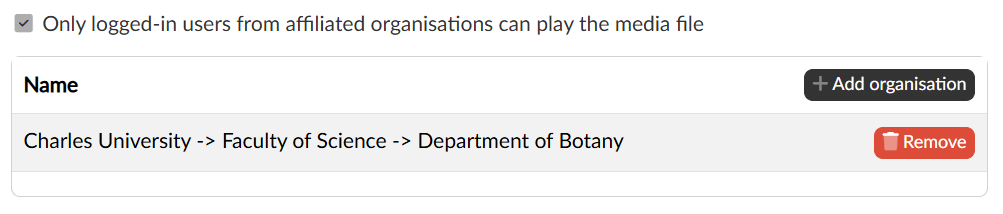
The code list in the form of a tree structure of organisations/organisational units is administered by the platform administrator and managed in the central administration of the platform. An individual portal user can then be connected to one or more organisational units from this code list in two ways
- automatically, on the basis of a defined rule for logging in through the eduID / Shibboleth platform
- manually, in the user administration agenda, which the portal administrator has available both in the central administration of the platform and directly on the portal
Watching from an allowed range of IP addresses
Ranges of IP addresses are administered by the portal administrator, who saves the individual sets of ranges into named items that are then available to users to assign to a stream. A user can then watch the stream only if their IP address is contained in one of the ranges of the assigned set.
Watching only by users from a list
User lists can be created in a separate agenda (Content administration → User lists) not only by an administrator, but by any user with the Editor or Redactor role. Named lists of specific users can contain only users who have completed a permanent registration on the given portal. A teacher therefore has to ask their students to complete their registration before creating the list.
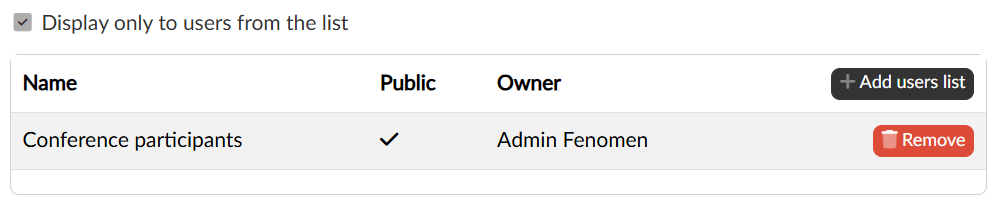
One or more of these lists can then be assigned to the stream, and only a user from one of those lists can watch it.
Display on an external server
For a stream in the protected mode we have to allow explicitly on which external servers it will be possible to watch it. The records about third-party websites on which a stream is allowed to be played in the form of an embedded player are administered by the portal administrator.
Limiting the time period
Any mode except Private can be complemented with a limitation of the visibility of the stream within a set time period and, with the Allow viewing on other channels option, with an allowance to publish it on channels that are not run by the editor/owner of the stream.
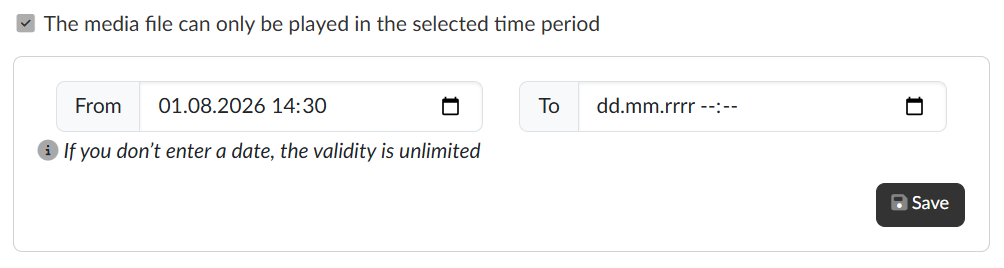
For the time period it applies that a date left empty means unlimited validity, so we can enter only the beginning, only the end, or both. Once we have the time period set, we save it with the Save button.